- GLOBAL > HMI > V8/TS2060 series > Operation Troubles > The time and date is not displayed correctly.
The time and date is not displayed correctly.
The time and date is not displayed correctly.
- Category :
Answer
The solutions vary depending on the screen data settings.
Check the following settings.
Setting location:
V-SFT editor [System Setting] → [Unit Setting] → [SRAM/Clock] → [Use Built-in Clock]
Checked ..... Clock built in the V/TS series used
Unchecked ..... Clock built in the PLC used
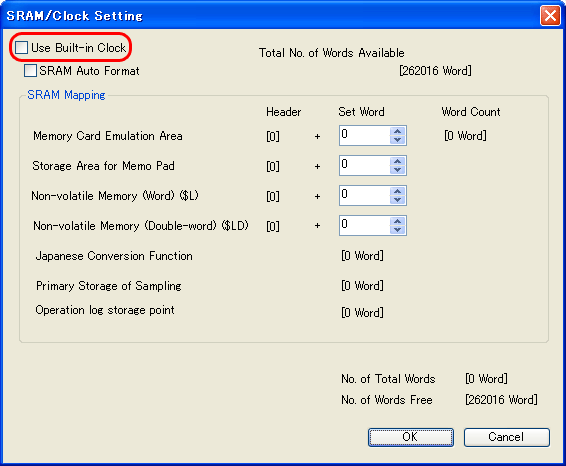
[[Use Built-in Clock] checked]
<Causes>
- No battery is set in MONITOUCH.
- The clock built in the V/TS series is not set to the correct date and time.
<Solutions>
- Set a battery in the battery holder in the back of the V/TS series.
- There are two methods for adjusting the clock of the V/TS series. Follow the steps below.
- Method 1: Adjustment on the Main Menu screen
In the case of the V8 series, click here.
In the case of the TS2060, click here.
In the case of the TS1000S, click here.
In the case of the V7 series, click here. - Method 2: Adjustment using a macro command
It is necessary to create a clock correction screen.
V8/TS series ... "SET_SYS_CLND"
V7 series ... "SET_CLND"
For more information on macro commands, refer to the Macro Reference Manual.
[[Use Built-in Clock] unchecked]
The clock built in the PLC is used.
<Causes>>
- No battery is set in the PLC.
- The clock built in the PLC is not set to the correct date and time.
<Solutions>
- Set batteries in the PLC.
There are two methods for setting the date and time.
Method 1: Correction using the PLC software and bit 11 of read area "n"
The PLC calendar memory can be corrected using the PLC software.
Calendar data is read into the V/TS series when bit 11 of read area "n" turns ON (0 → 1).
* For correction on the PLC, refer to the relevant PLC manual.Method 2: Adjustment using a macro command
The PLC calendar can be corrected using macro command "SET_CLND".Example: To correct 2013/1012 10:40:00 to 20:00:00:
(1) Create a calendar setting screen.
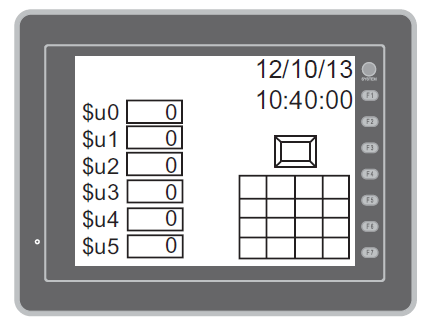
Place the following parts on the screen.
- Keypad
- Numerical data display part
[Function:Entry Target] ($u0 to $u5)
- Switch ON macro "SET_CLND"
- Time display or calendar
(2) Input year, month, day, time, hour, minute, second in order using the keypad, and press the switch to execute the SET_CLND macro. The PLC calendar is rewritten.
Set 2013/10/15 20:00:00.Year: $u0 = 2013
Month: $u1 = 10
Day: $u2 = 15
Hour: $u3 = 20
Minute: $u4 = 0
Second: $u5 = 0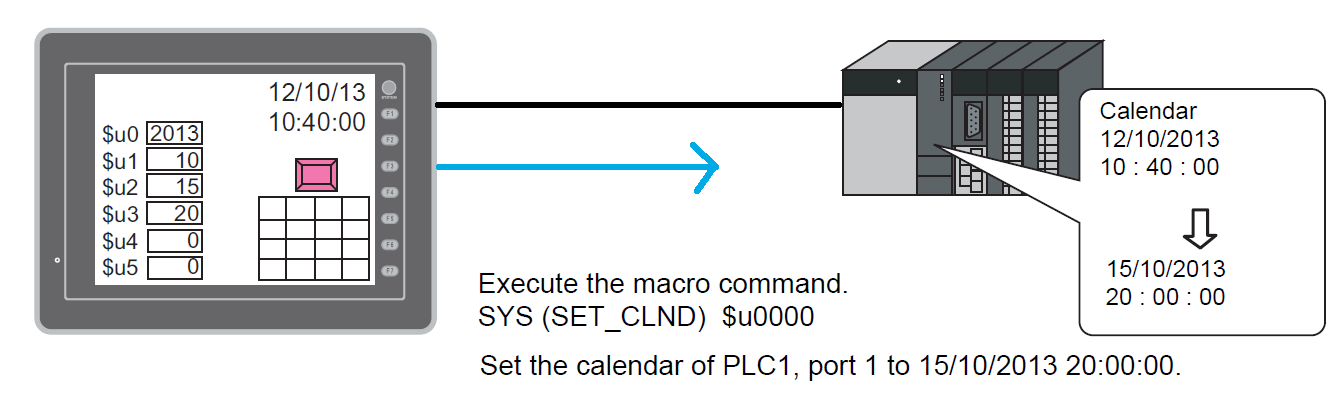
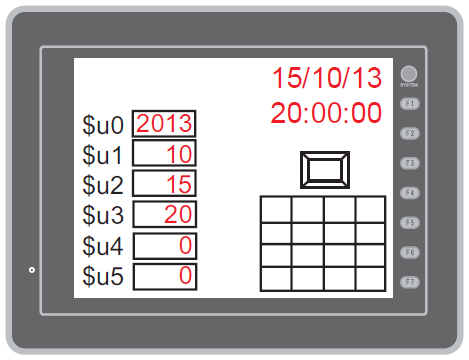
The PLC calendar is read into the V/TS series and the V/TS series calendar is also re-written.
* In the case of the V8/TS series, the following macro commands are used to correct the calendar data in PLC2 to PLC8.
- PLC_CLND ... PLC calendar write
- SET_SYS_CLND ... V/TS series calendar write
For more information, refer to the Macro Reference Manual.