- GLOBAL > HMI > V8/TS2060 series > Operation Troubles > Characters are not displayed in character display parts as intended.
Characters are not displayed in character display parts as intended.
Characters are not displayed in character display parts as intended.
- Category :
Answer
The action to take varies depending on the symptom.
[No text is displayed or a part of text is not displayed]
<Causes>
- Windows fonts are used but the text is not registered in the [Windows Font Registration] dialog.
- Null (00) code is stored in device memory.
<Solutions>
- For character display, the text to display must be registered for each font type and size (in points).
Unregistered text is displayed as space.
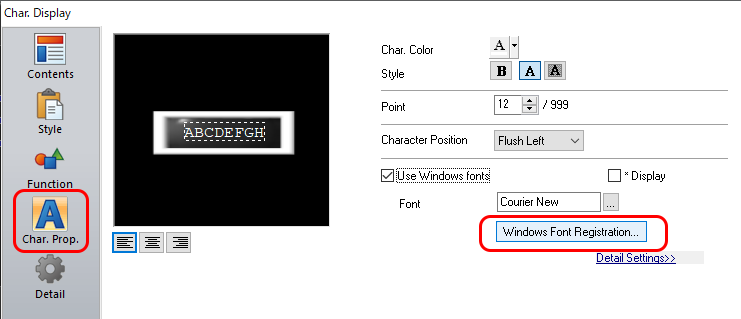
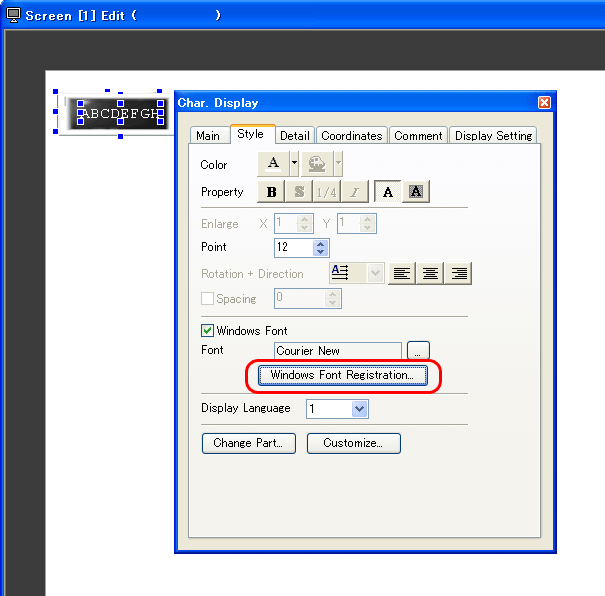
1. Display the [Char. Display] dialog and click [Windows Font Registration].
V-SFT Ver.6: [Char.Prop.] → [Windows Font Registration]
V-SFT Ver.5: [Style] → [Windows Font Registration]
2. Register all text to display, and click [Execute Registration].
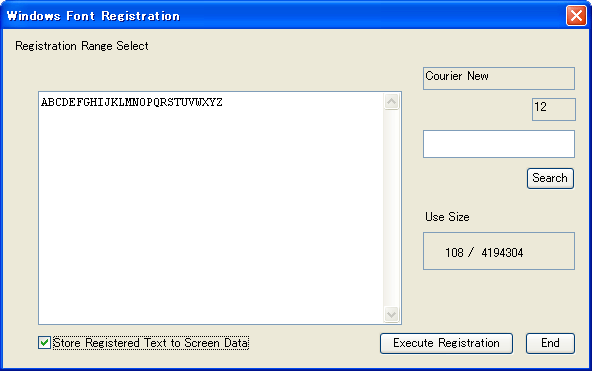
3. Follow steps 1. and 2. for each font type and size (in points).
* For the [Store Registered Text to Screen Data] setting, see below.
- Unchecked
When saving the screen data, a font registration file (extension "*.txw") will be created.
This file is required when exporting the screen data from MONITOUCH. Be sure to keep this file together with the screen data.
- Checked
Fonts are stored in MONITOUCH together with the screen data.
Screen data storage capacity may be reduced according to the file size.
- The characters after the null (00) code are not displayed when a null (00) code is input.
To insert a space, input the space code (20H).
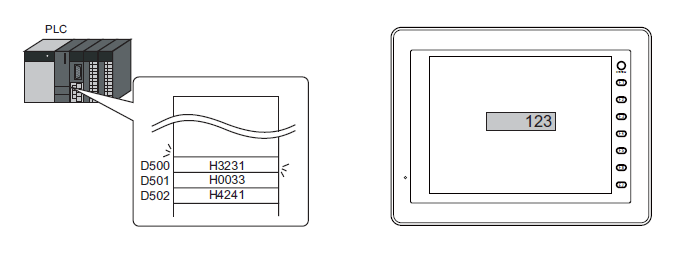
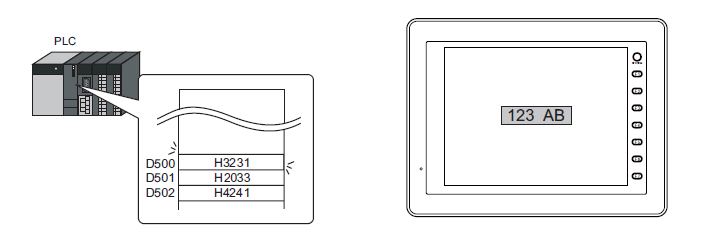
Example: Display "123 AB" in the character display part
with [Device Memory: D500] and [No. of Bytes: 6 (D500 to D502).
D500 = H3231
D501 = H0033 ← "00" (null) is inserted
D502 = H4241
Due to "00" (null), "AB" is not shown.
↓
D500 = H3231
D501 = H2033 ← "00" (null) is changed to "H20" (space).
D502 = H4241
When "00" (null) is changed to "H20" (space), "123 AB" will be shown.
[Text is not displayed in the specified size]
<Cause>
Gothic fonts are used but [Manual Font Setting] is not made.
<Solution>
To show text in other than 12 points, [Manual Font Setting] is required.
Without [Manual Font Setting], text will be shown only in 12 points.
- Select [System Setting] → [Font Setting] → [Manual Font Setting].
Check the boxes of the points and types to use.
Click [Calculate Memory], check the available memory capacity, and click [OK].
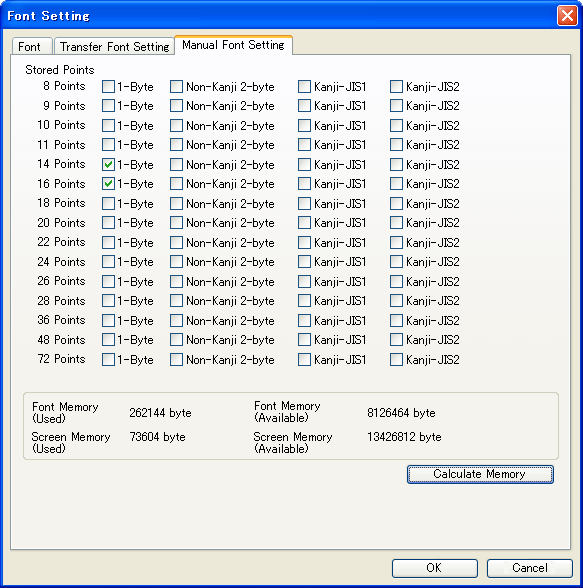

When the boxes in the [Manual Font Setting] tab are checked, the available
memory capacity for screen data will be reduced.
Be sure to select the required points and types only.
[Text is garbled]
<Cause>
The order of bytes of character codes stored in device memory is reversed.
<Solution>
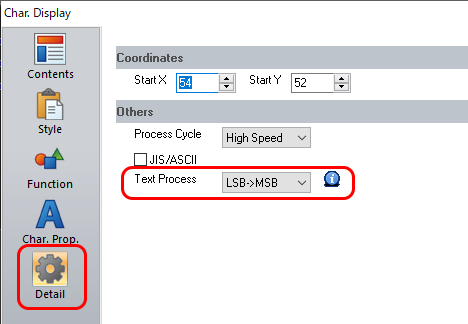
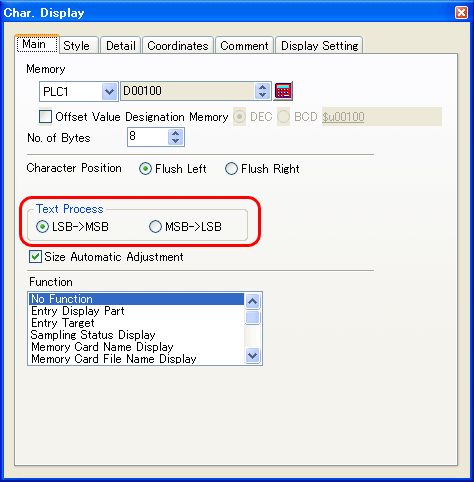
The order of bytes read into the device memory of the TS/V series is set for [Text Process].
Store character codes in device memory according to this setting.
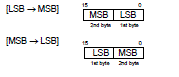
TS/V8 series
V-SFT Ver.6: [Char. Display] dialog → [Detail] → [Text Process]
V-SFT Ver.5: [Char. Display] dialog → [Main] → [Text Process]
V7/V6 series
Setting location: V-SFT editor [System Setting] → [PLC Communication] → [Communication Parameter] → [Detail] → [Text Process]