


-
Products & Solutions TopProducts & Solutions

-
 Products & Solutions Top
-
Drives & Controls
-
UPS & Industrial Power Supply
-
Sensors & Measurements
-
Energy Management
-
Monitoring & Control System
-
Distributions & Controls
-
Transmission & Distribution
-
Transit System
-
Semiconductors
-
Energy
-
Food and Beverage Distribution
-
Service & Equipment Upgrades
-
Solutions
-
-
IR TopInvestor Relations
- GLOBAL > HMI > V8/TS2060 series > Operation Troubles > Pressing a switch does not activate anything.
Pressing a switch does not activate anything.
Pressing a switch does not activate anything.
- Category :
Answer
<Causes>
- Interlock is set for the switch.
- ON delay is set for the switch. (TS/V8 only)
- Touch switch position is deviated.
- When the screen change switch (Function: Screen) is used, the "screen internal switching" bit is ON so screen switching is disabled.
<Solutions>
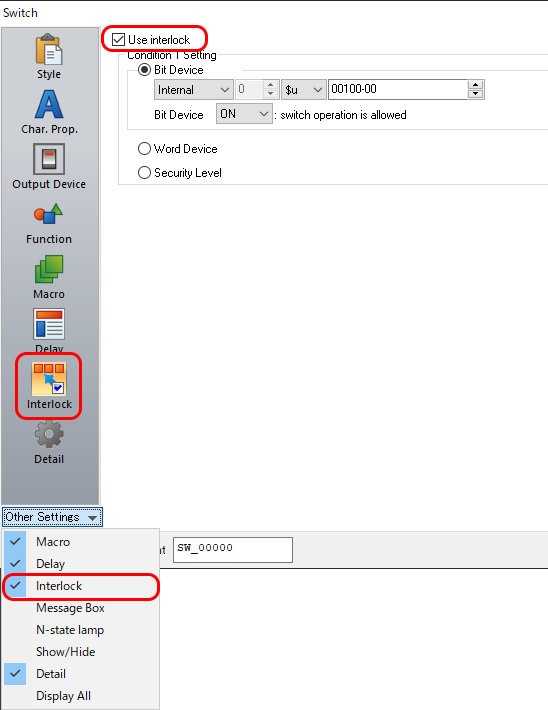
Display the [Switch] dialog → [Other Settings] → [Interlock] and check if [Use interlock] is checked. If checked, satisfy the conditions set for interlock.
Example: Turn ON bit 0 of $u100 to enable switching.
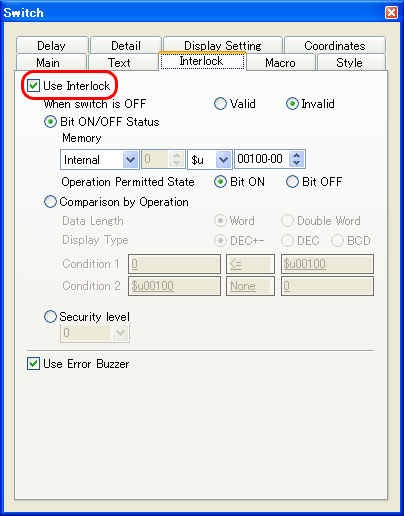
* When you use V-SFT Ver.5, check the [Switch] dialog → [Interlock] tab.
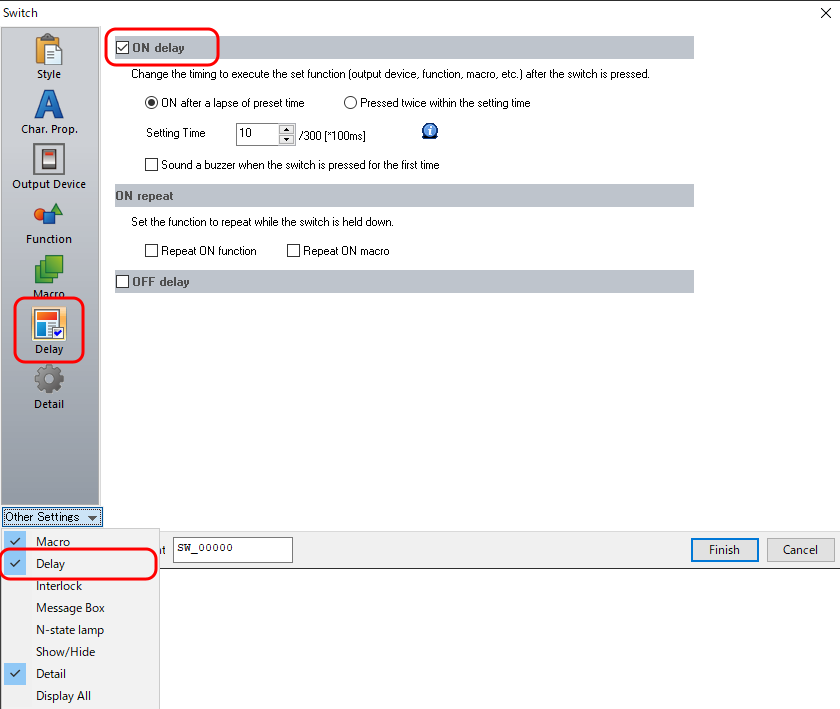
Display the [Switch] dialog → [Other Settings] → [Delay] and check if [ON delay] is checked. If checked, satisfy the conditions set for ON delay.
Example: ON after 1 second (10 x 100 msec)
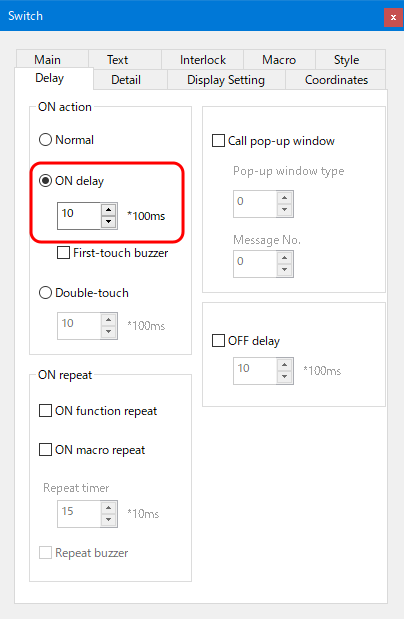
* When you use V-SFT Ver.5, check the [Switch] dialog → [Delay] tab.
Check if touch switch position is deviated. If deviated, correct. For more information, refer to following FAQ.
"No:4733 Pressing the touch switch activates nothing or activates a position that deviates from the switch".- Check bit 13 (screen internal switching) of Read area "n + 1" If ON, turn it OFF.
For details about how to check Read area, click here.