


-
Products & Solutions TopProducts & Solutions

-
 Products & Solutions Top
-
Drives & Controls
-
UPS & Industrial Power Supply
-
Sensors & Measurements
-
Energy Management
-
Monitoring & Control System
-
Distributions & Controls
-
Transmission & Distribution
-
Transit System
-
Semiconductors
-
Energy
-
Food and Beverage Distribution
-
Service & Equipment Upgrades
-
Solutions
-
-
IR TopInvestor Relations
- GLOBAL > HMI > V10/V9 series > Product Specifications > How do I install or update configuration software "V-SFT-6"?
GLOBAL
How do I install or update configuration software "V-SFT-6"?
How do I install or update configuration software "V-SFT-6"?
- Category :
Answer
The way to install or update configuration software "V-SFT-6" is as follows.
[Either or both V-SFT-5 or V-SFT-6 already installed]
- Download the update module for V-SFT-6 from our website.
The download page is here.
* You need to register as a member to download the update module.
* If installing V-SFT Ver. 5 in "C:\Program Files" on Windows Vista or later,
it may not work properly.
In this case, please refer to here and reinstall.

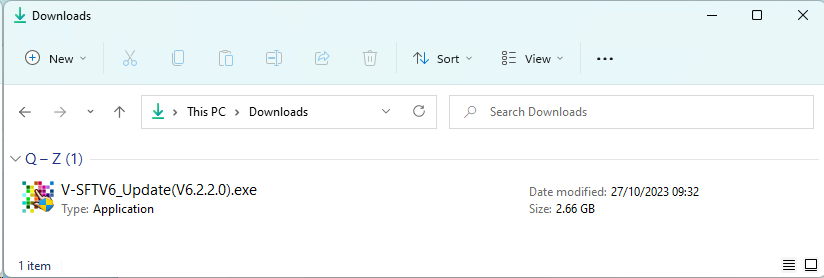
- Double-click the module downloaded in step 1.
- V-SFTV6_Update(V6.x.x.0).exe ( "x" designates the version number.)
* If the message "xxxxxx.exe isnft commonly downloaded." message
appears, see here.

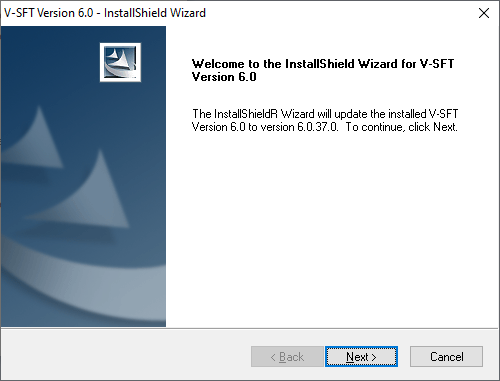
- Follow the procedures to update after the installer starts up.
* Be sure to close V-SFT-5/V-SFT-6 before the installation.
* You need to have authority as an Administrator for the update.
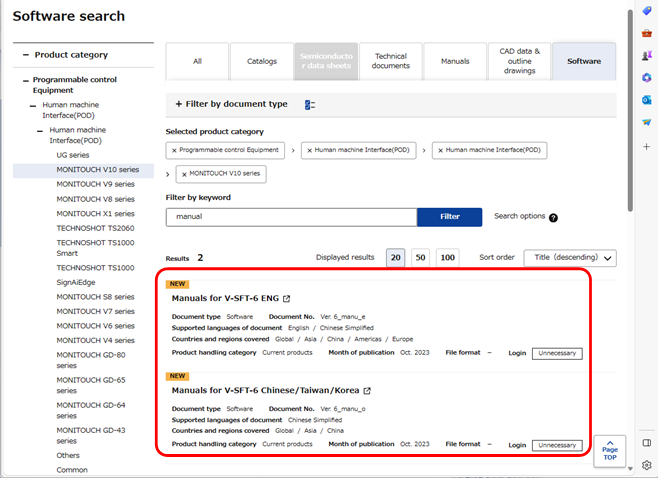
- You need to download the manuals for help menu separately.
Select "Manuals for V-SFT-6" from the search results in step 1 and download it.
- Double-click the module (EXE file) from step 4.
Follow the procedures to update after the installer is started up.
* Close V-SFT-6 before the installation.
* Administrator authentication is required.
[Neither V-SFT-5 nor V-SFT-6 installed]
Please purchase DVD-ROM of V-SFT-6.
(The update module from our website is only for the update.
It cannot be used for installation.)
* However, if you have CD-ROM/DVD-ROM for configuration software "V-SFT" or
"UG00S-CW", you may be able to update to "V-SFT-6".
The installation procedure differs depending on the OS of your PC and the version
of your CD-ROM/DVD-ROM.
For the detailed procedure for installation, click here.