-
Products & Solutions TopProducts & Solutions

-
 Products & Solutions Top
-
Drives & Controls
-
UPS & Industrial Power Supply
-
Sensors & Measurements
-
Energy Management
-
Monitoring & Control System
-
Distributions & Controls
-
Transmission & Distribution
-
Transit System
-
Semiconductors
-
Energy
-
Food and Beverage Distribution
-
Service & Equipment Upgrades
-
Solutions
-
-
IR TopInvestor Relations
- GLOBAL > HMI > V10/V9 series > Operation Troubles > I have a communication problem between the V10/V9 and Mitsubishi QnU series CPU built-in Ethernet.
I have a communication problem between the V10/V9 and Mitsubishi QnU series CPU built-in Ethernet.
I have a communication problem between the V10/V9 and Mitsubishi QnU series CPU built-in Ethernet.
- Category :
Answer
Please check the settings below:
Screen program settings:
[System Setting] → [Hardware Setting]
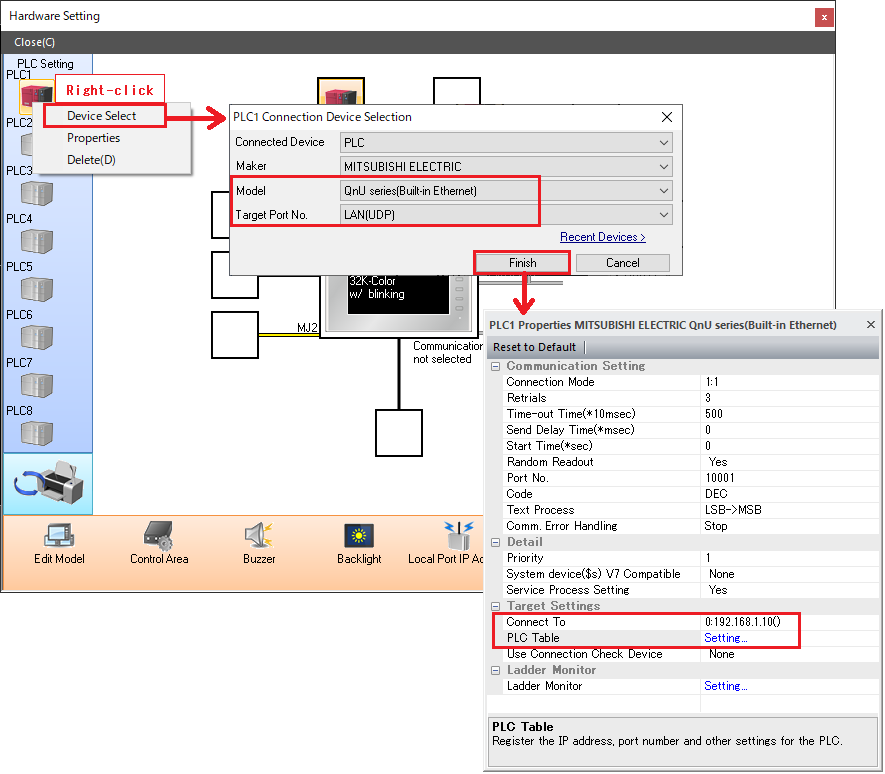
- Select [Model: QnU series (Built-in Ethernet)] at [Device Select].
- [Device Select] → [Target Port no.] and select appropriate port to connect.
For the V10/V9's built-in LAN port, select either [Built-in LAN(UDP)] or [Built-in LAN(TCP)].
(For the V10/V9 with an extra LAN port, [LAN2(UDP)] and [LAN2(TCP)] options are also available.
*Protocol to use for the PLC must be correctly selected as will be described later.
For connection with the V10/V9's optional Ethernet unit (CUR-03), select [LAN unit].
* Only UDP/IP protocol is supported.
- [PLC1 Property] → [Property] → [Target Setting] → [PLC Table] and set an IP address and a port number of the PLC.
* Set the same IP address and Host station port No. as the PLC settings
described in the section below.
- Select the PLC for connection from those registered on the PLC table at [PLC1 Properties] → [Target Settings] → [Connect To].
(Valid only for 1 : 1 connection)
PLC settings:
For a CPU's built-in LAN port:
Set [PC parameter] of Mitsubishi's programming tool.
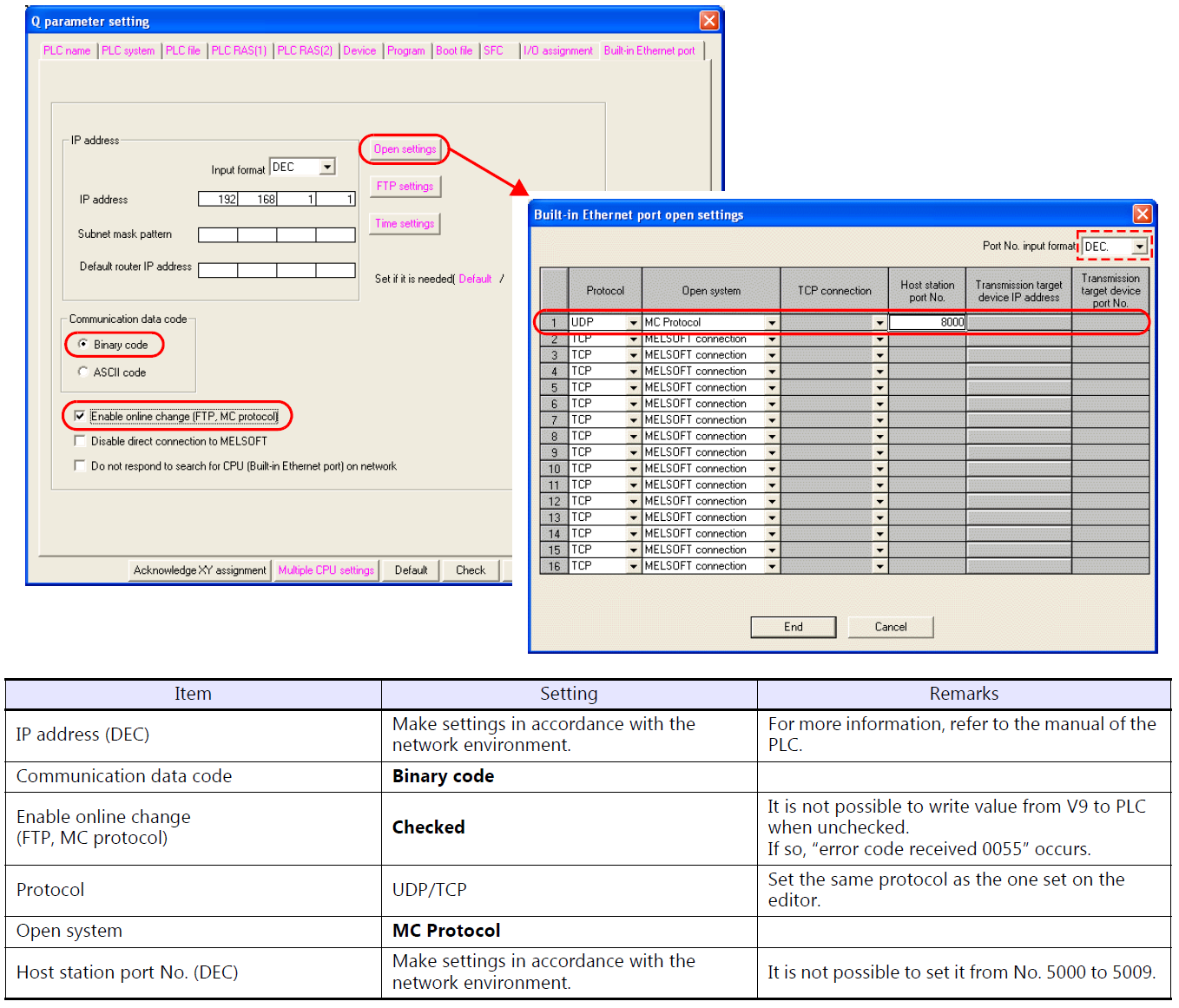
IP address of V10/V9 series unit
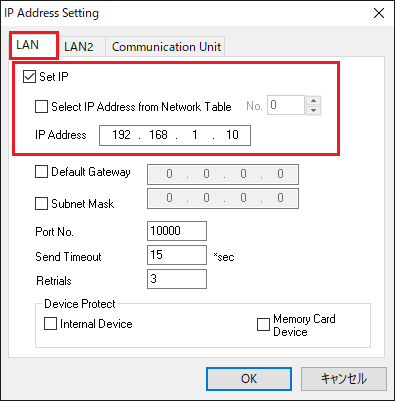
When specified in the screen program
Select the [Set IP] checkbox located at [System Setting] → [Ethernet Communication] → [Local Port Address] → [LAN] tab and set the IP address.
Leave the port number with the default value of "10000".
(This port number is used for reading and writing (EREAD/EWRITE) between MONITOUCH units and is unrelated to PLC communication.)
When specified on the V10/V9 series unit
Set the IP address on the [LAN Setting] menu in Local mode on the V10/V9 series unit and press the [Apply] switch at the lower right of the screen to confirm.
Leave the service port with the default value of "10000".
(This port number is used for reading and writing (EREAD/EWRITE) between MONITOUCH units and is unrelated to PLC communication.)
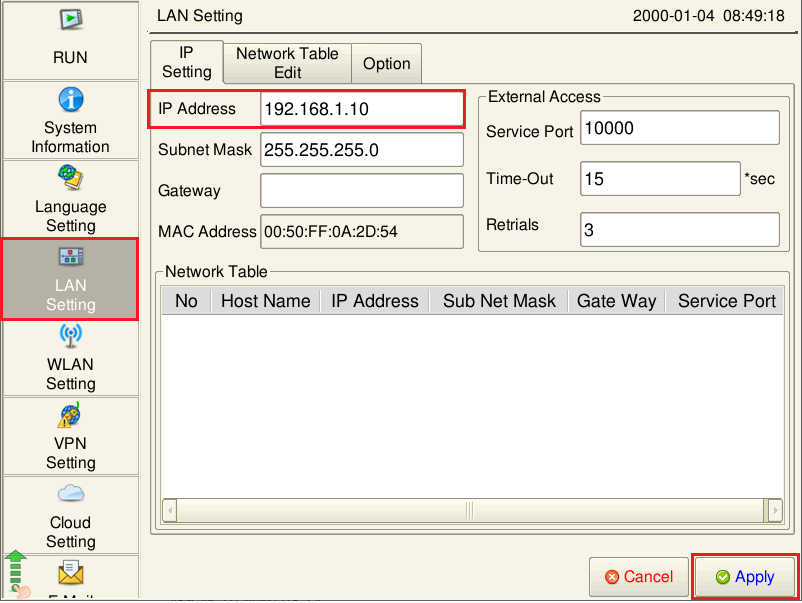
V10/V9 series unit Local mode
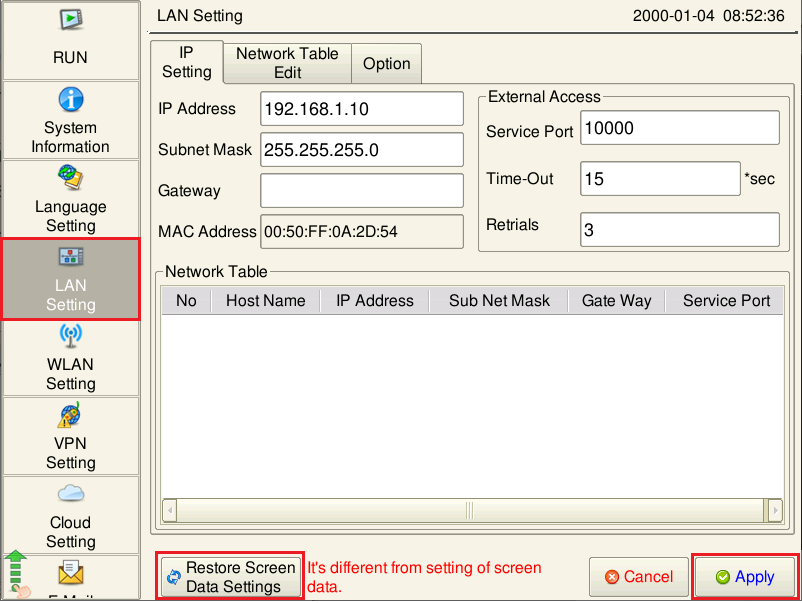
- If a setting is changed in Local mode on the V10/V9 series unit, the changed setting takes priority.
Check that the settings displayed on the [LAN Setting] menu and [Comm. Setting] menu in Local mode are configured as desired.
To restore the screen program settings, press the [Restore Screen Data Settings] switch and confirm by pressing the [Apply] switch at the lower right of the screen.
(On the [Comm. Setting] menu, press the [Reset All] switch after pressing the [Restore Screen Data Settings] switch.)
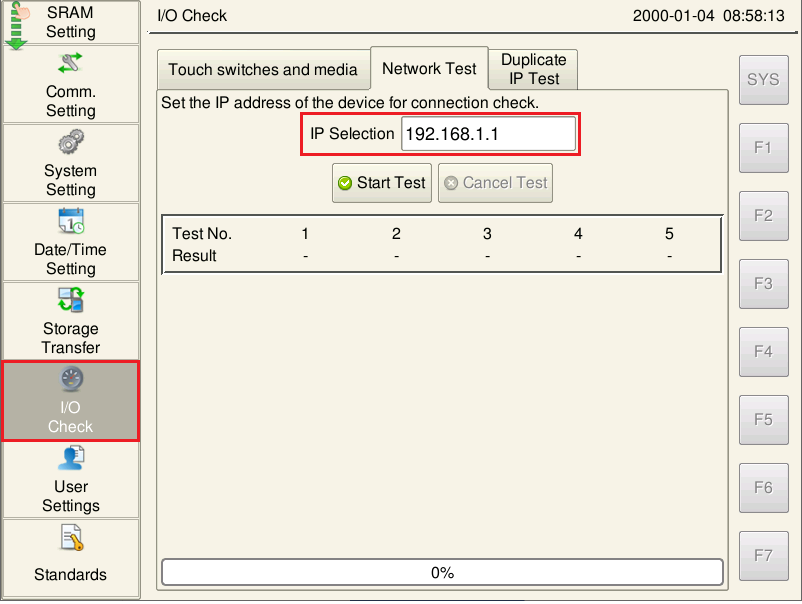
- A network test for the IP address of the PLC can be performed on the [Network Test] tab on the [I/O Check] menu in Local mode.
For more information on network tests, click here.