-
Products & Solutions TopProducts & Solutions

-
 Products & Solutions Top
-
Drives & Controls
-
UPS & Industrial Power Supply
-
Sensors & Measurements
-
Energy Management
-
Monitoring & Control System
-
Distributions & Controls
-
Transmission & Distribution
-
Transit System
-
Semiconductors
-
Energy
-
Food and Beverage Distribution
-
Service & Equipment Upgrades
-
Solutions
-
-
IR TopInvestor Relations
- GLOBAL > HMI > V10/V9 series > Operation Troubles > Characters are not displayed in character display parts as intended.
Characters are not displayed in character display parts as intended.
Characters are not displayed in character display parts as intended.
- Category :
Answer
The action to take varies depending on the symptom.
[No text is displayed or a part of text is not displayed]
<Causes>
- Windows fonts are used but the text is not registered in the [Windows Font Registration] dialog.
- Null (00) code is stored in memory.
<Solutions>
For character display, the text to display must be registered for each font type and size (in points).
Unregistered text is displayed as space.
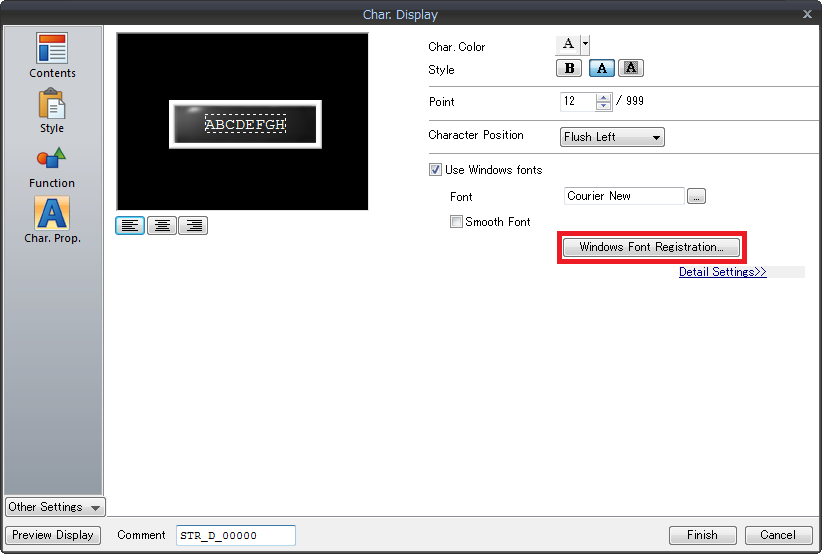
(1) Display the [Char. Display] dialog and click [Char. Prop.] -> [Windows Font Registration].
(2) Register all text to display, and click [Execute Registration].
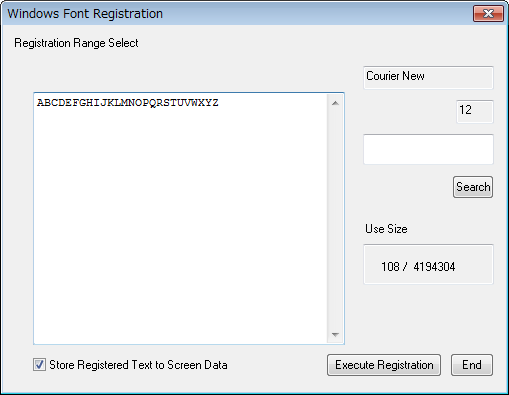
(3) Follow steps (1) and (2) for each font type and size (in points).
[Store Registered Text to Screen Data]

- Unchecked When saving the screen data, a font registration file (extension "*.txw") will be created. This file is required when exporting the screen data from MONITOUCH. Be sure to keep this file together with the screen data.
- Checked Fonts are stored in MONITOUCH together with the screen data. Screen data storage capacity may be reduced according to the file size. The characters after the null (00) code are not displayed when a null (00) code is input.
To insert a space, input the space code (20H).
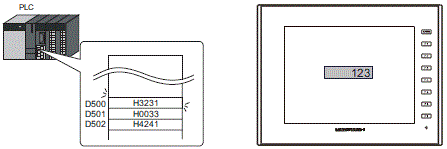
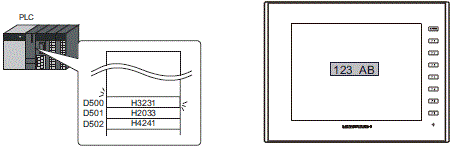
Example: Display "123 AB" in the character display part with [Memory: D500] and [No. of Bytes: 6 (D500 to D502).
D500 = H3231
D501 = H0033 <- "00" (null) is inserted
D502 = H4241
Due to "00" (null), "AB" is not shown.
D500 = H3231
D501 = H2033 <- "00" (null) is changed to "H20" (space).
D502 = H4241
When "00" (null) is changed to "H20" (space), "123 AB" will be shown.
[Text is garbled]
<Cause>
The order of bytes of character codes stored in device memory is reversed.
<Solution>
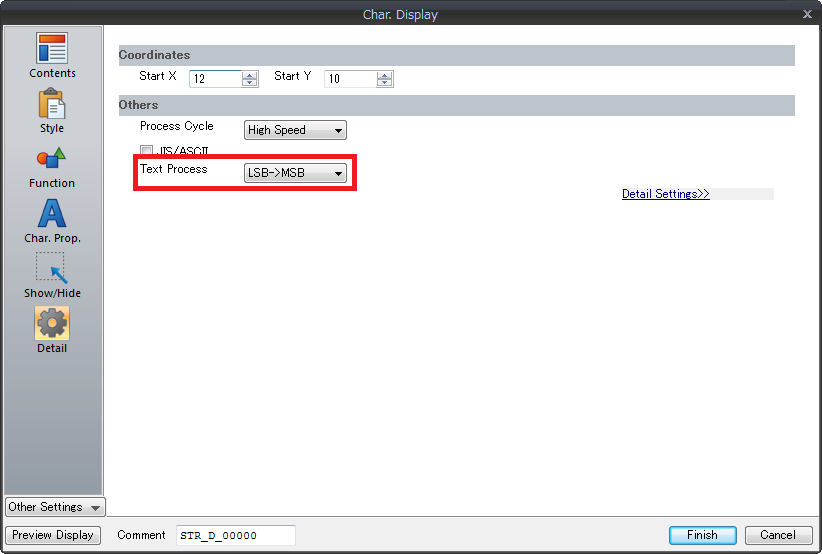
The order of bytes read into the device memory of the V series is set for [Text Process].
Store character codes in device memory according to this setting.
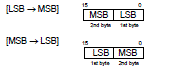
Setting location: [Char. Display] dialog -> [Detail] -> [Text Process]