


-
Products & Solutions TopProducts & Solutions

-
 Products & Solutions Top
-
Drives & Controls
-
UPS & Industrial Power Supply
-
Sensors & Measurements
-
Energy Management
-
Monitoring & Control System
-
Distributions & Controls
-
Transmission & Distribution
-
Transit System
-
Semiconductors
-
Energy
-
Food and Beverage Distribution
-
Service & Equipment Upgrades
-
Solutions
-
-
IR TopInvestor Relations
GLOBAL
Communication Error "Timeout"
Communication Error "Timeout"
- Category :
-
- GLOBAL > HMI > V10/V9 series > Error
Answer
This error is displayed when the V series does not receive an answer from a connected device (PLC, temperature controller, etc.) within the predetermined time after issuing a request to send.
[In cases where the error occurs before communication]
<Cause>
- The communication cable is not connected correctly or is disconnected.
- Communication settings on the V series do not match those of the connected device.
<Solution>
- Check the wiring and continuity of the cable.
- Check that the selection of [Maker] and [Series] on the V series is correct and that the communication settings including baud rate, data length, stop bit, and parity are the same between the connected device and the V series.
Setting location: V-SFT editor [System Setting] -> [Hardware Setting]
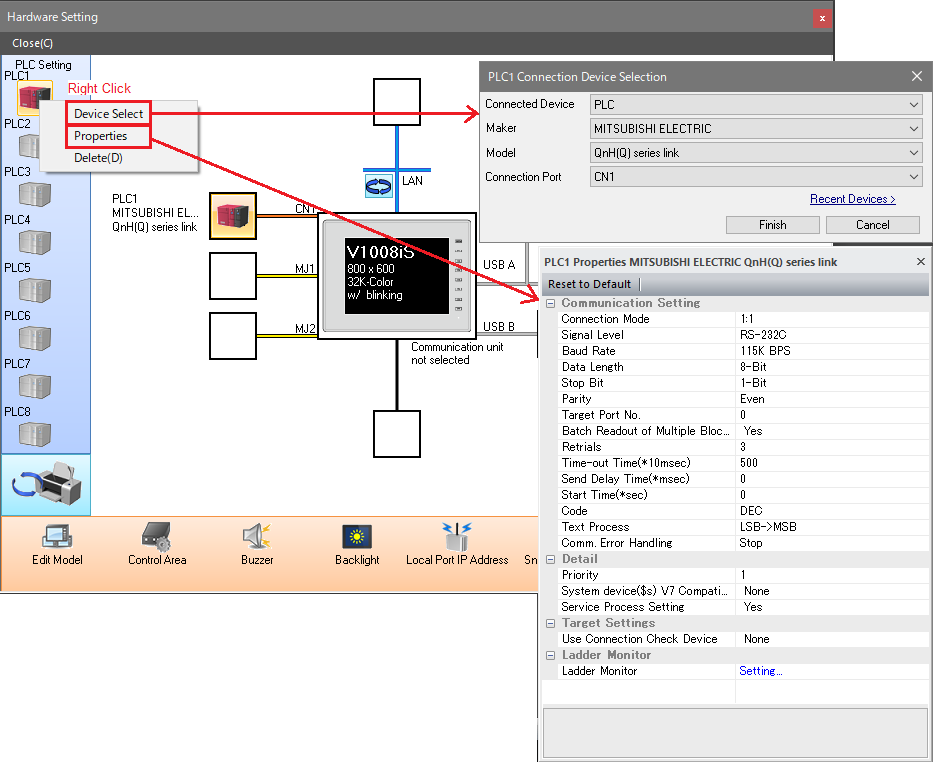
* Communication settings including signal level, baud rate, data length, stop bit, and parity can be configured in Local mode on the V series.
Setting location: V series [Local] -> [Communication Setting]
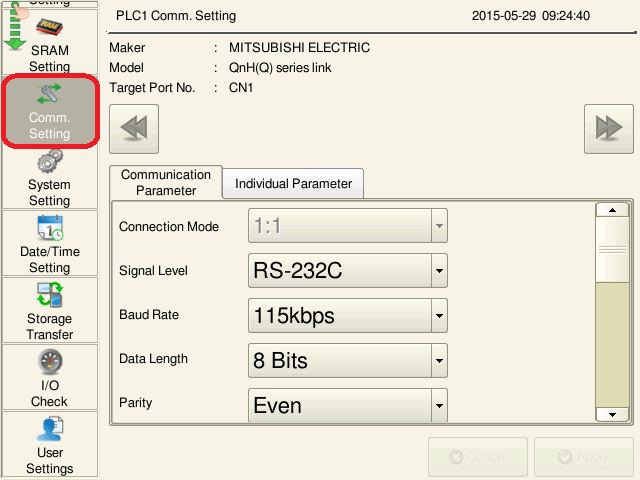
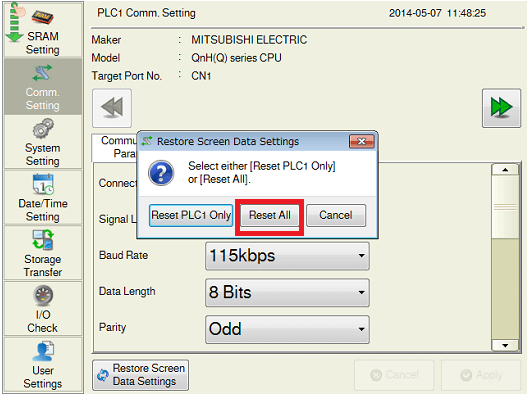
Changes made on the local screen have priority over the settings made in the screen program.
To restore original setting in the screen program, press [Restore Screen Data Setting] button then press [Reset All].
* Restoring the settting will clear all the changes made on the local screen.
[In cases where the error occurs during normal communication]
<Cause>
Data may be disrupted because of noise.
<Solution>
Provide protection against noise.