- GLOBAL > HMI > V10/V9 series > Questions about > Can I register texts in advance and use them for switch/lamp/text on the screen?
Can I register texts in advance and use them for switch/lamp/text on the screen?
Can I register texts in advance and use them for switch/lamp/text on the screen?
- Category :
Answer
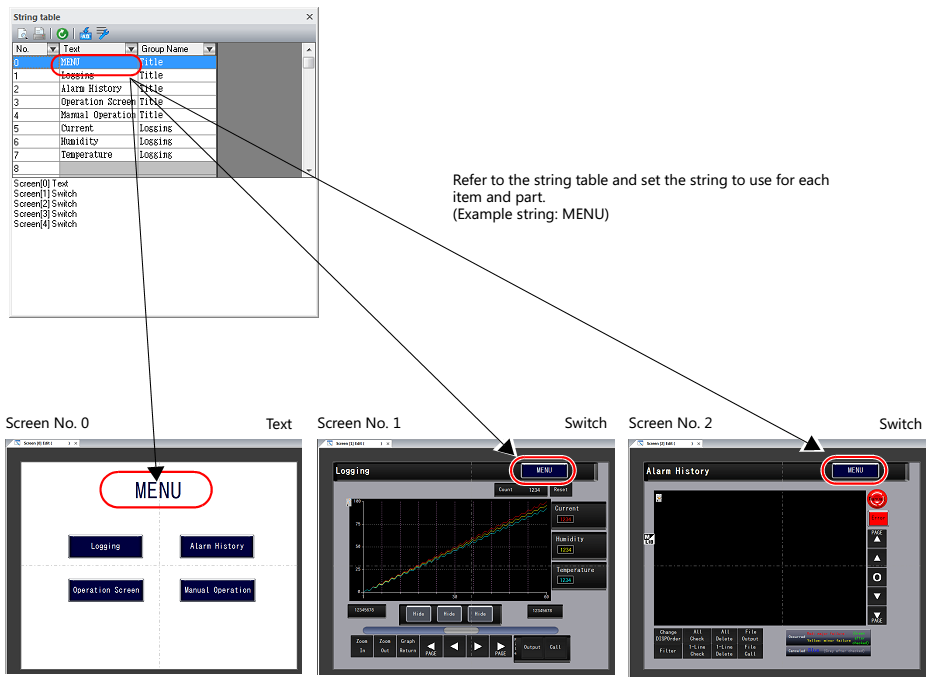
Yes, you can register and call the texts using [String Table] function.
Strings that are used many times throughout the screen program can be registered to a string table.
Once registered, they can be used for text items.
If a string needs to be changed, changing the string in the string table will change all occurrences in the screen program.
How to register [String Table]
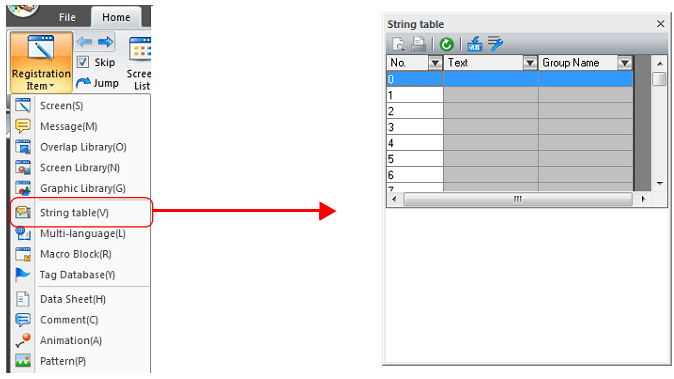
1. Go to [Home] > [Registration Item] > [String Table] to open the string table.
2. Register text and group name.
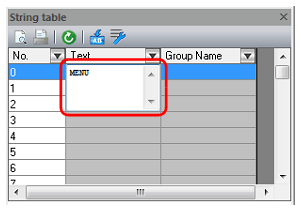
*Group name can be blank if group name is not necessary.
*It is possible to register the table from the setting dialog box of each part.
Please refer to the Reference Manual 2 for further details.
Download here.
[How to select a string on a part]
E.g.) Switch
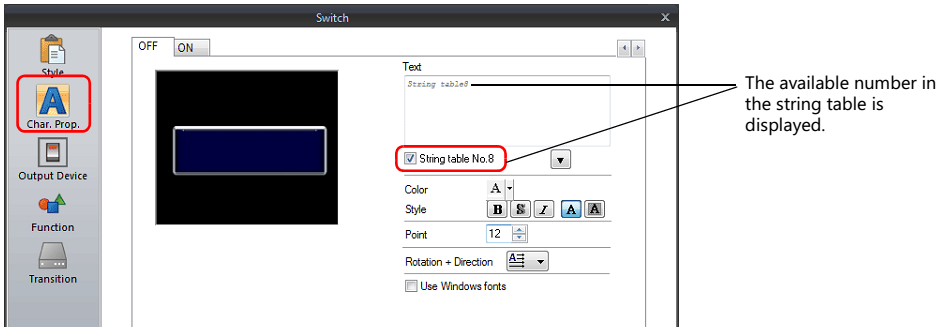
1. Click [Char. Prop.] and check [String Table No.] option box.
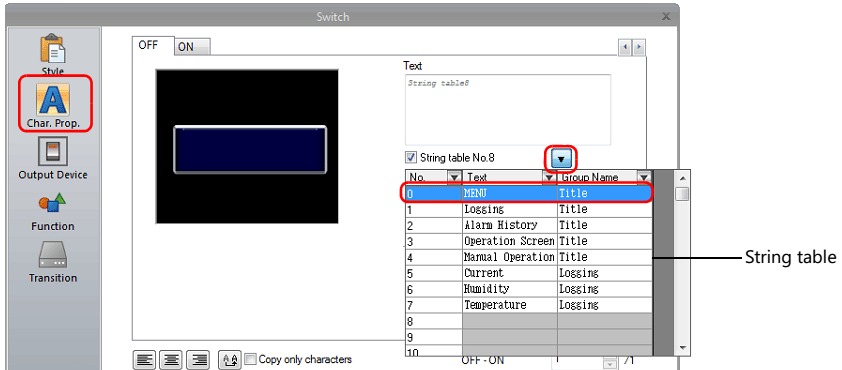
2. Click the down arrow of the string table and select a string to use.
3. Click [Text] box to refresh the text in the box.
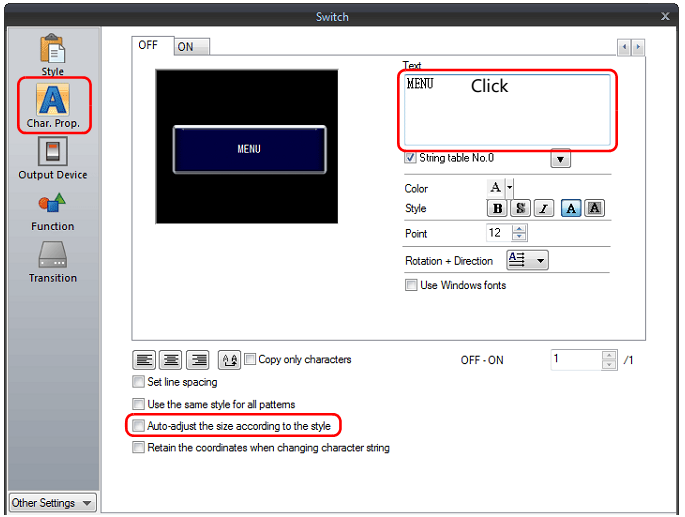
* When switch or lamp is set to "Auto-adjust the size according to the style", appearance of the text may vary depending on the setting.
・ w/ check:
The size of the item changes depending on the length of the string.
・ w/o check:
As much letters as possible that can fit to current size of the item are displayed on the item.
(Maximum number of the line is displayed.
Switch/lamp: up to 4 lines, multi-text: up to 38 lines)
[How to change the string]
1. Go to [Home] > [Registration Item] > [String Table] and make changes as necessary.
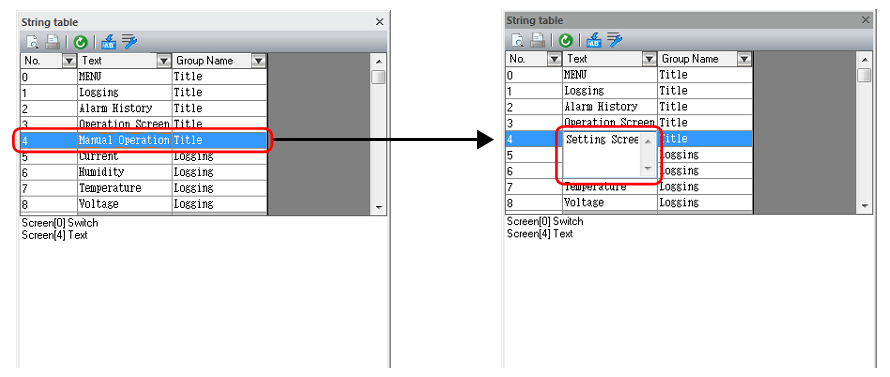
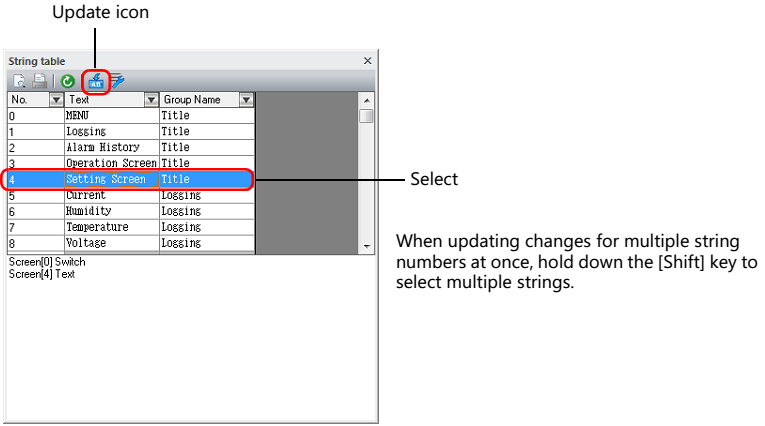
2. Select the table number that changes have been made and click [Update] icon to refresh.
Changes are reflected to all items or location that revised string was used.