- GLOBAL > HMI > V10/V9 series > Questions about > I want to have scrolling alarm messages on my screen.
I want to have scrolling alarm messages on my screen.
I want to have scrolling alarm messages on my screen.
- Category :
Answer
Alarm server setting has scrolling message feature.
By selecting "Flowing message" as an action to take when alarm occurs, alarm message area appears on the top or bottom of the screen automatically.
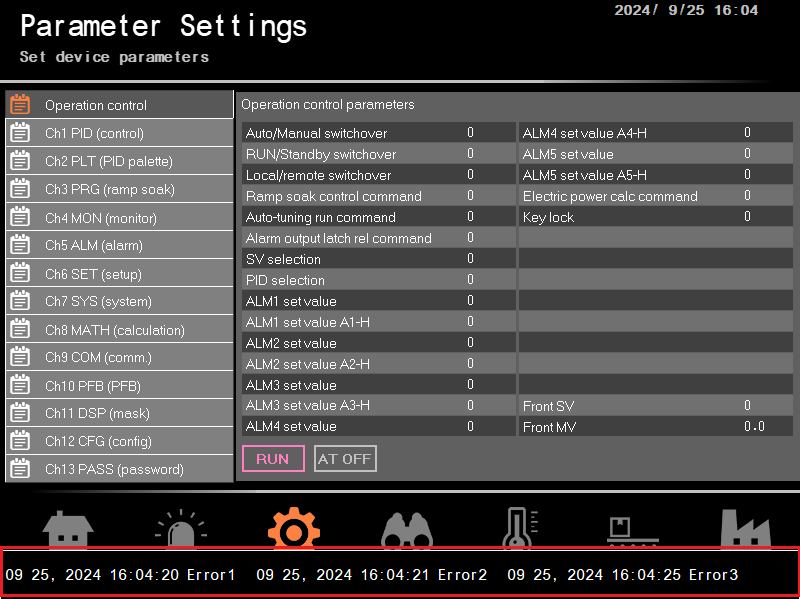
[Settings]
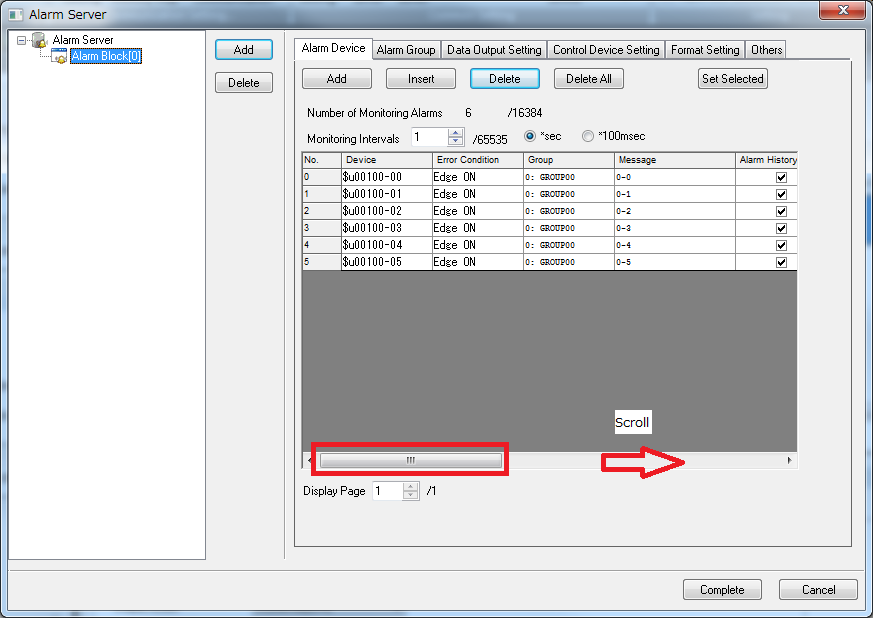
Go to [System Setting] > [Alarm Server] > [Alarm Device] and scroll the dialog box to the right.
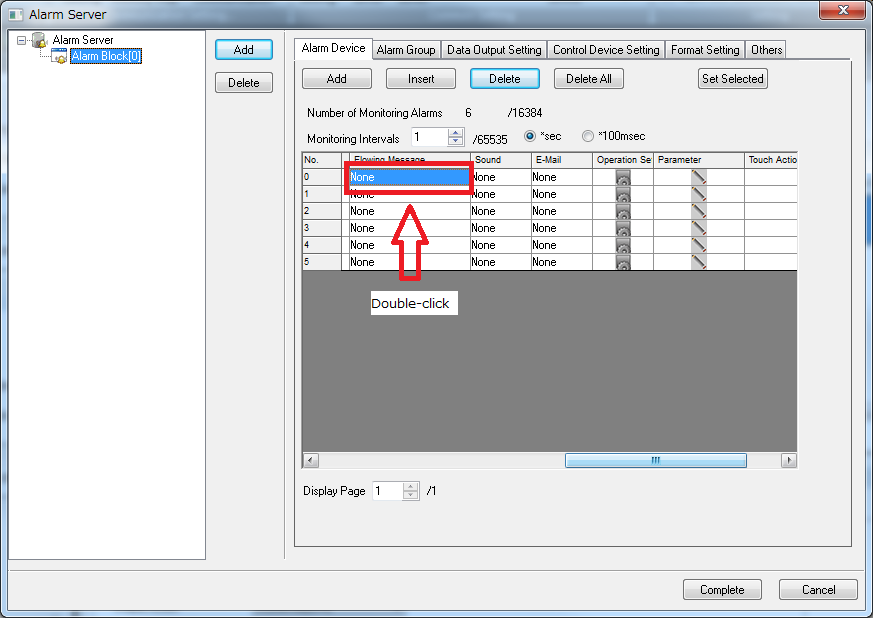
Double-click "Flowing Message" box to call setting dialog box.
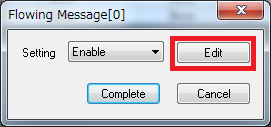
Click [Setting] pulldown box and select "Enable".
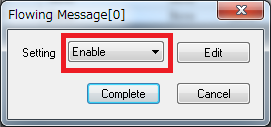
Click [Edit] to set the display speed, appearance of the message, display position, and so on.
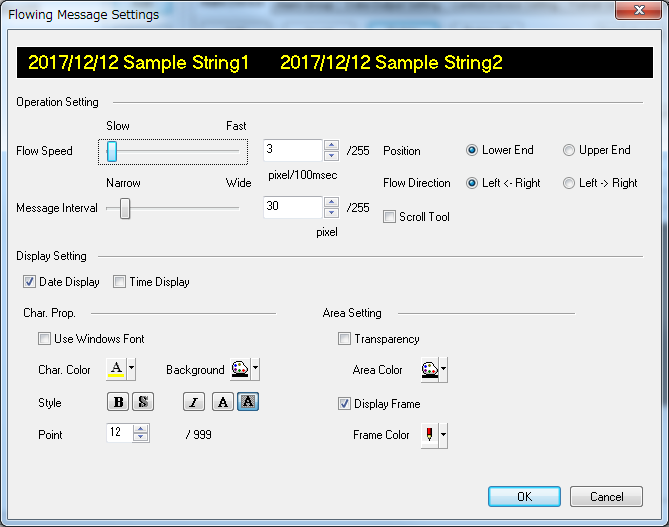
* For more details about scrolling message, please refer to "V10/V9 Reference Manual 1".
With the above settings, alarm messages will be played on the screen when alarm occurs.