


-
Products & Solutions TopProducts & Solutions

-
 Products & Solutions Top
-
Drives & Controls
-
UPS & Industrial Power Supply
-
Sensors & Measurements
-
Energy Management
-
Monitoring & Control System
-
Distributions & Controls
-
Transmission & Distribution
-
Transit System
-
Semiconductors
-
Energy
-
Food and Beverage Distribution
-
Service & Equipment Upgrades
-
Solutions
-
-
IR TopInvestor Relations
- GLOBAL > HMI > V10/V9 series > Questions about > How to display multiple lines on a trend part asynchronously
How to display multiple lines on a trend part asynchronously
How to display multiple lines on a trend part asynchronously
- Category :
Answer
Two or more trend graph parts in the same size must be overlaid.
It is possible to display the trend lines at different timings by linking the parts with each other.
Regard one trend graph as a "parent," and the other trend graph as a "child."
 |
The "parent" trend graph must be laid under the "child" trend graph. |
The trend graph : Click [Operation Select] and set the display mode to [Real Time Display] 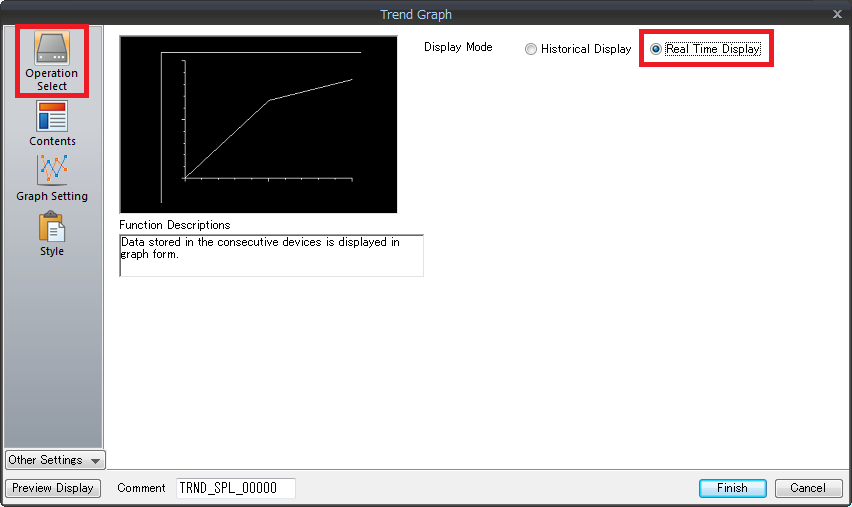
For more information on the graph settings and display method, click here.