- GLOBAL > HMI > V10/V9 series > Questions about > How to check the number of the screen currently displayed
How to check the number of the screen currently displayed
How to check the number of the screen currently displayed
- Category :
Answer
The currently displayed screen number is stored in the following device memory areas.
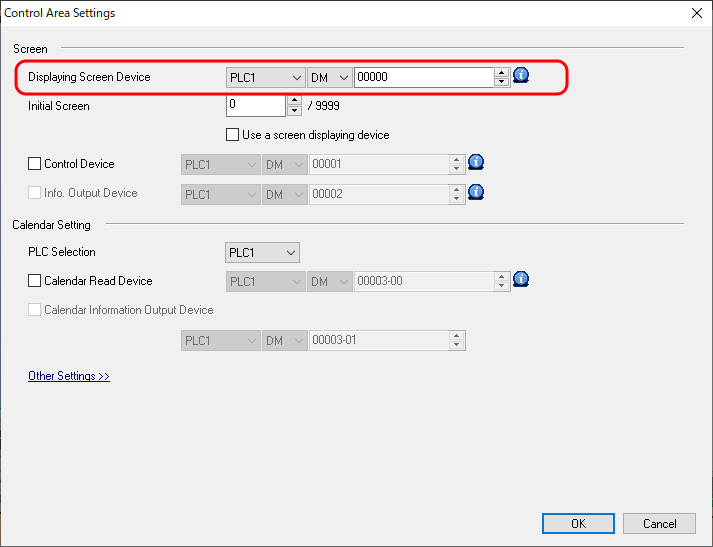
- Screen displaying device memory
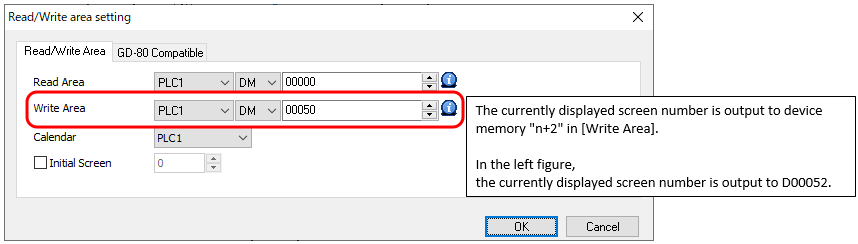
- Device memory "n+2" in [Write Area]
(for screen programs converted from V8 series or earlier models) - System device memory $s0
Screen displaying device memory setting location
[System Setting] → [Hardware Setting] → [Control Area] in V-SFT
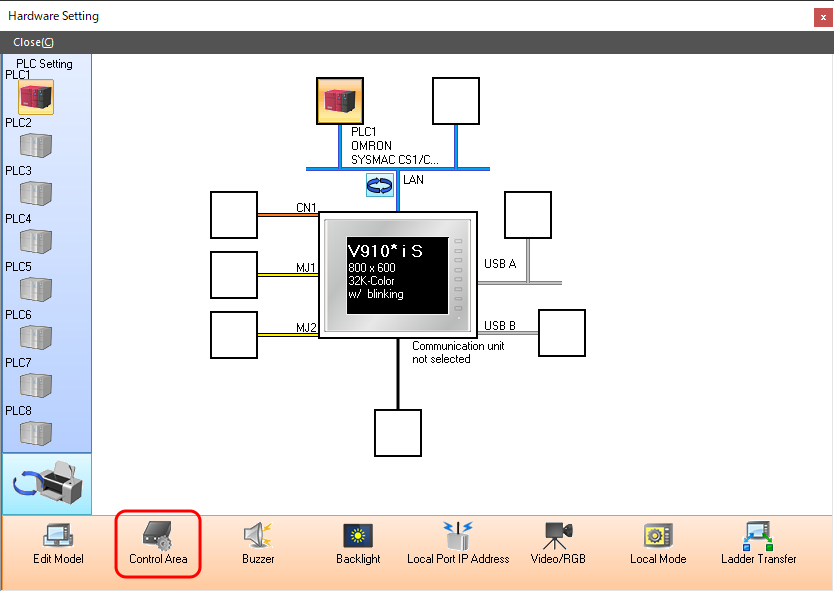
If the [Control Area] menu is absent from the hardware settings
[Control Area] is not used for screen programs converted from V8 series and earlier models. The currently displayed screen number is stored in device memory "n+2" in [Write Area].
Check the following setting location.
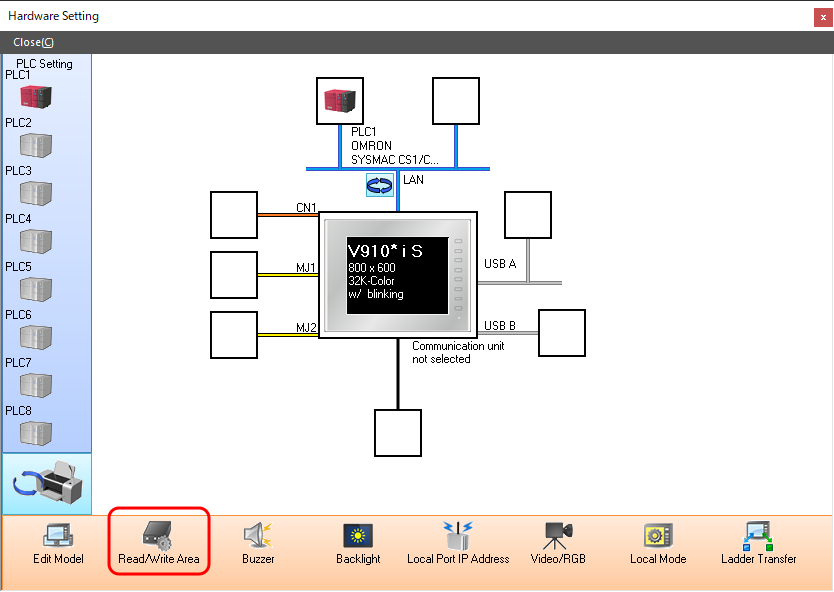
[Write Area] setting location
[System Setting] → [Hardware Setting] → [Read/Write Area] in V-SFT