- GLOBAL > HMI > V10/V9 series > Questions about > How to save logging data to a csv file
How to save logging data to a csv file
How to save logging data to a csv file
- Category :
Answer
Data can be output to a CSV file as described below.
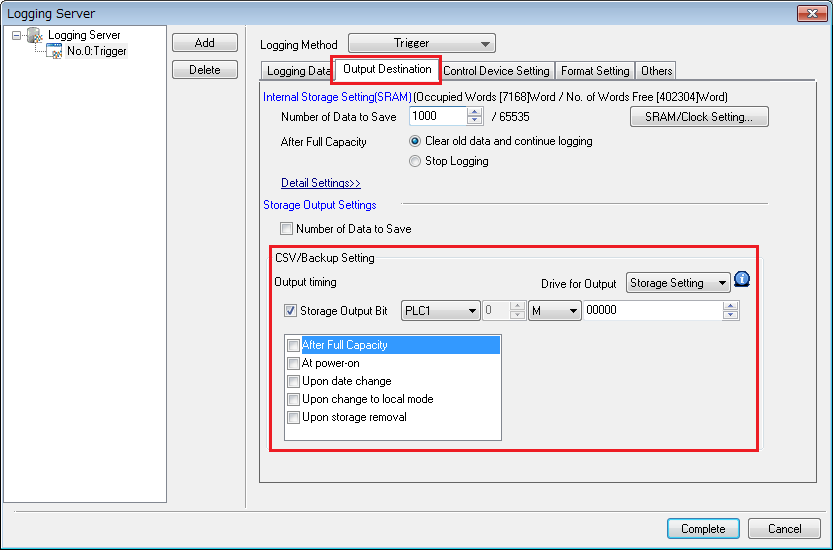
Click [System Setting] -> [Logging Server] (or [Alarm Server]) and select a block number. Then click [Output Destination].
Configure the CSV/backup settings.
Example: To output a CSV file at the leading edge of M0 (0 -> 1), check [Storage Output Bit] and set "M0".
For more information such as on [Drive for Output] and [Output timing], click here.